Account Deletion
Last updated: December 29, 2025
Users can permanently delete their account directly within the game.
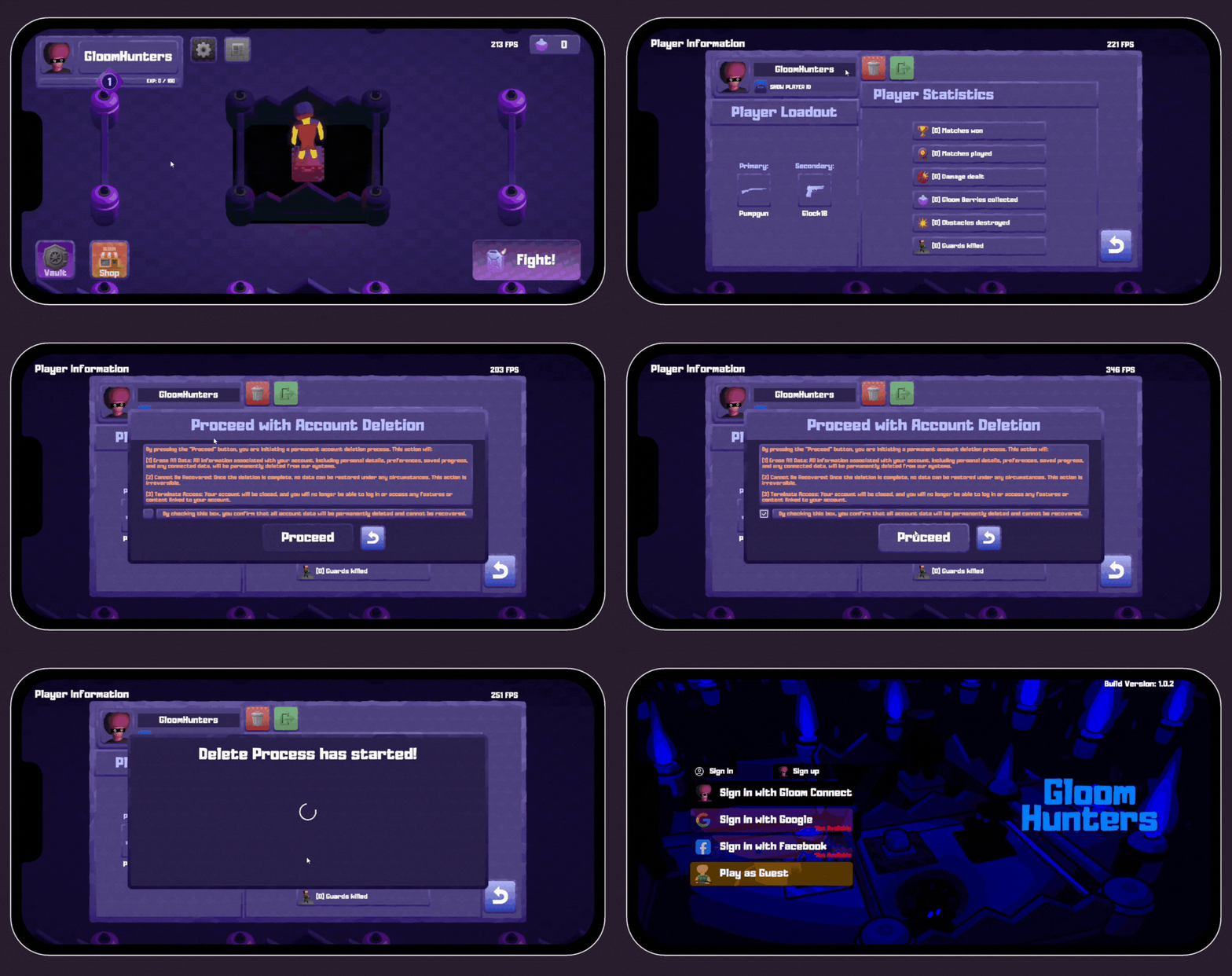
Steps to delete your account:
1. Open the game and go to the Lobby.
2. Navigate to Player Profile.
3. Press the red delete account button.
4. Check the confirmation checkbox to confirm that you want to delete your account.
5. Confirm the deletion.
Important information:
Deleting your account is permanent and cannot be undone. Once deleted, the account and all associated data
(such as player progress and settings) will be permanently removed and cannot be restored.
A clear warning about this irreversible action is shown in the game before deletion.